
What to Expect on Your Fiber Internet Installation Day

Table of Contents
Have you ordered fiber internet? Do a happy dance! Fast, reliable internet is on its way. But now you’re wondering, “What does Fidium Fiber installation involve?” If you picture a full day of drilling, confusing equipment, and a technician who shows up whenever they feel like it, you can relax. Fidium includes professional installation with every plan, gives you a two-hour arrival window, and sends a trained technician to handle the hard parts.
Let’s review what fiber internet installation looks like so you are prepared for how long it takes, what it costs, and the few situations where you could run into a delay or a fee.
Before Install Day: Bringing Fiber to Your Street and Home
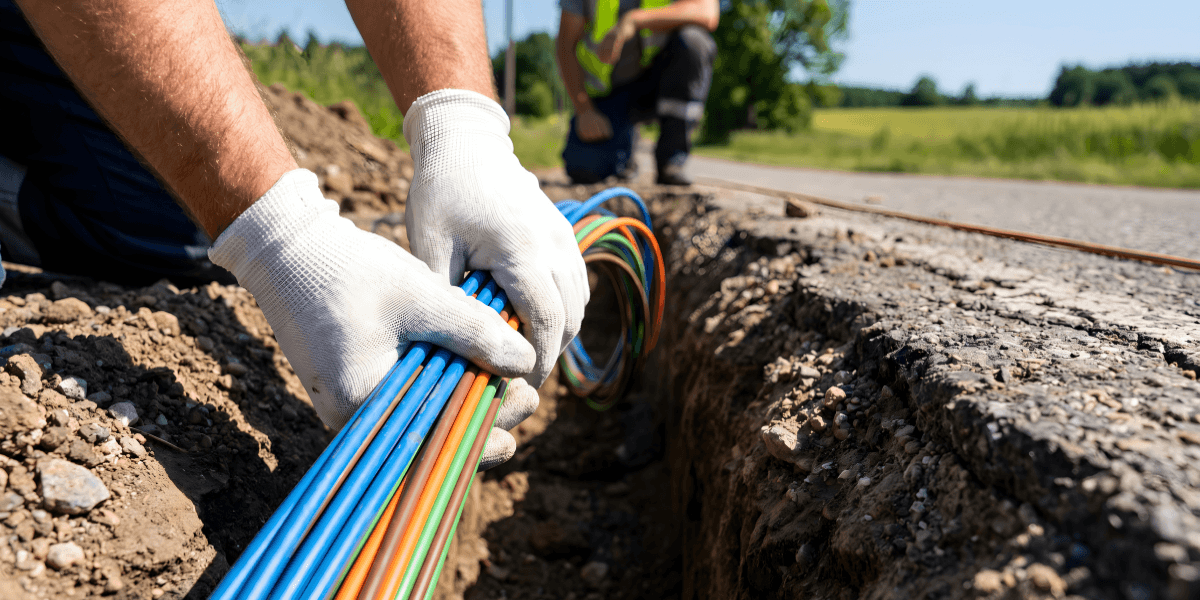
Fidium Fiber builds its network in phases. Crews first inspect utility poles in your area to make sure they are structurally sound. Next, they hang fiber lines on existing electrical poles or dig trenches to lay protective pipe for the fiber. Once you become a customer, a dedicated fiber cable runs from your home to Fidium’s connection hubs, so you don’t share your line with your neighbors the way you would with cable internet.
You may see Fidium vehicles or workers outside your home before your appointment. That activity is normal and usually means crews are preparing the connection that will serve your address. If your line runs underground, you might also notice small flags or colored paint in your yard. Utility companies use these markings to show where existing buried lines sit so crews can dig safely. If you have private underground features like a sprinkler system or a buried dog fence, tell Fidium ahead of time, because utility markings typically do not cover privately installed lines.
What does the Fidium ONT do?
Fiber does not work with a traditional modem. Instead, it uses a device called an optical network terminal, or ONT. The ONT receives the light signal that travels through the fiber cable and converts it into a signal your router and devices can use. Your old cable or DSL modem cannot read data from fiber, so the Fidium ONT replaces it entirely.
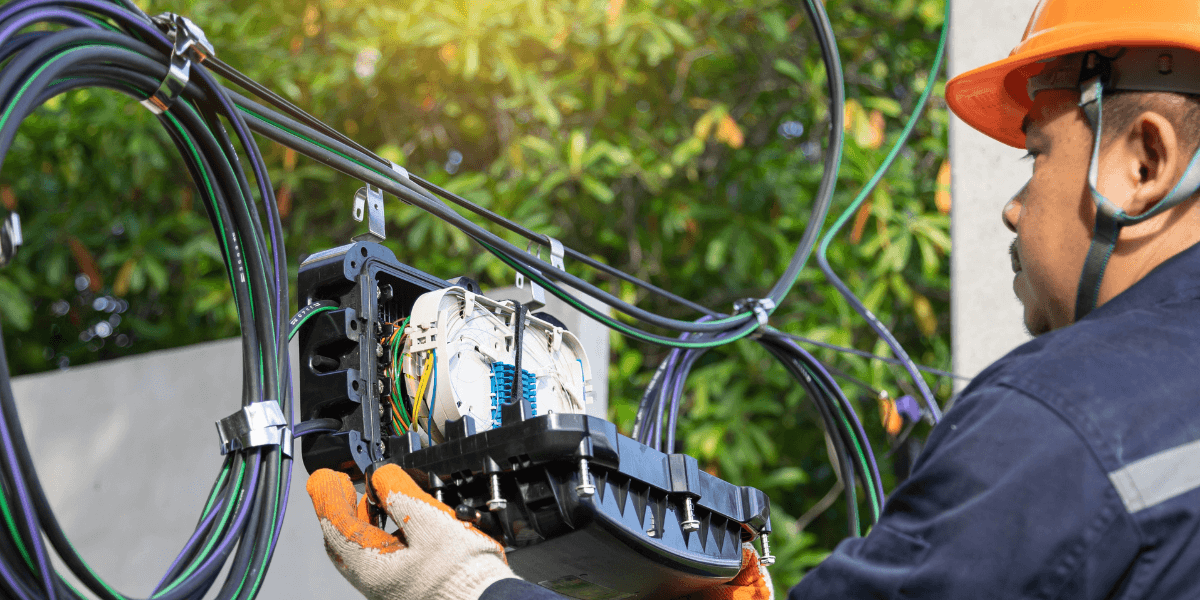
Your Fidium technician installs the ONT outside your home. From there, the connection runs inside to your WiFi gateway. Fidium provides the ONT at no extra cost, and the technician handles the entire setup, so you never need to buy or configure one yourself.
What to prepare for on your end
How to Prepare for Fiber Installation
Fidium does the heavy lifting, but a little preparation on your end can shorten the appointment and help you avoid a reschedule. Here is what to do in the days before your technician arrives.
Activate Your Fidium Insider Portal Account
Fidium asks you to finish activating your Fidium Insider Portal account before your appointment. Your technician uses the active account to show you the customer support tools once your service is up and running. If you skip this step, you may have to work through the setup later on your own, so it pays to do it ahead of time.
Save Your Current WiFi Name and Password
Write down your current WiFi network name (also called the SSID) and its password. Fidium recommends reusing both for your new network. When you keep the same name and password, your phones, smart TVs, thermostats, and other connected devices reconnect on their own. Otherwise, you would need to log every device into the new network by hand, which takes time if you own a lot of smart home gear.
Clear a Path and Pick a Spot for Your Gateway
Decide where you want your WiFi gateway to live before the technician arrives. The gateway needs an electrical outlet and works best in a central spot in your home. A gateway tucked in a basement corner or a back closet has to push its signal through more walls and floors, which weakens coverage in far rooms. Once you choose the spot, clear a path to it so the technician can work without moving furniture or boxes.
Make Sure an Adult Can Be Home
Fidium requires the account holder or someone 18 or older to be home to give the technician access. Also keep your order number and account number handy, since the technician will need them. Have your phone nearby, too, because the technician will help you download the Fidium Attune WiFi app during the visit.
Plan Ahead If You Use Your Own Router
Fidium supplies a WiFi gateway and extenders, but you can use your own equipment instead. If you go that route, you must have a primary wired router ready during the installation. The technician connects your router to the ONT and tests one wired device to confirm that the connection works.
This choice comes with trade-offs worth weighing. Fidium warns that some customer-owned equipment may not fully meet its network requirements, which can cause compatibility problems or slower performance. Fidium also requires its own gateway to use the Attune app and its security features. On 1 Gig and faster plans, the Fidium gateway is already included in the advertised price, so bringing your own router may not save you money on those tiers.
What Happens on Install Day
Install day follows a predictable rhythm. Knowing the order of events helps you plan the rest of your day around the appointment.
When Your Fidium Network Expert Arrives
Fidium calls its installation technicians Network Experts. Your Network Expert will arrive within the two-hour window you chose when you scheduled. That narrow window means you do not have to clear an entire day and wait around. Once they arrive, they will confirm your account details and talk through where you want your equipment.
Running Fiber Into Your Home
Your technician installs the Fidium ONT on the outside of your home and connects it to the fiber line. They then bring the connection inside to the spot you picked for your gateway. With most fiber installations, this step requires a small entry point through an exterior wall. If you have strong feelings about where cables run or where the entry point goes, speak up early. Moving equipment after the fact can create extra work, and the technician can usually find a route that fits your preferences when they know them up front.
Setting Up Your WiFi and the Attune App
After the physical connection is in place, your Network Expert sets up and tests your wireless network. They will help you choose your WiFi network name, passwords, and permissions, which is where the information you saved earlier comes in handy. The technician also walks you through the Fidium Attune app, which lets you manage your home WiFi, see connected devices, and adjust settings from your phone. If you run a small business, you will use the Attune@Work app instead.
Expect 1-3 hours
How Long Does Fiber Installation Take?
Fidium tells customers to allow 1.5 to 3 hours for installation. The wide range reflects the differences between homes. A small apartment with a clear path to the gateway location usually falls on the shorter end. A larger house that needs extenders on several floors, a long cable route, or a customer-owned router that needs extra testing can stretch toward three hours.
You can help keep your appointment on the shorter side by finishing the prep steps above. An active portal account, a cleared workspace, and your WiFi details on hand all remove small delays that add up.
Keep in mind that the 1.5 to 3-hour estimate covers your appointment only. The construction work that brings fiber to your street happens on its own timeline, sometimes weeks or months earlier. If you pre-ordered Fidium before it reached your neighborhood, Fidium contacts you once your address is ready so you can schedule your installation.
Fidium Installation Cost
Here is the good news about Fidium installation cost: professional installation is free on every Fidium plan. Fidium’s authorized dealer site values that installation at $199, which is money you keep in your pocket. Plans also come with no contracts and no data caps, so you are not trading a free install for a long commitment.
Possible Extra Costs to Know About
Free installation does not mean every situation stays free, so go in with your eyes open.
If you use your own router and request a service visit, Fidium charges for that dispatch when the technician finds that Fidium’s ONT and the connection into your home work properly. In other words, if the problem lies with your own equipment, you pay for the visit.
In some New Hampshire communities, Fidium adds a Fiber Infrastructure Build Recovery Fee to internet service because of a public-private partnership agreement. This fee applies to your monthly service rather than the installation itself, but it affects your total cost, so check your local terms before you order.
Pricing, availability, and offers also vary by location. If you pre-ordered, Fidium asks you to schedule your installation within 30 days of receiving notice that service is ready. Waiting longer can cost you your first-month-free discount and your quoted price.
What Happens After Your Technician Leaves
Your internet works as soon as your technician finishes, but your WiFi keeps improving over the next day. Fidium’s WiFi network optimizes itself during the first 24 hours after activation, learning how your household uses the connection and adjusting to deliver better performance. If speeds in a far bedroom seem a little uneven on day one, give the system a full day before you call for help.
If you added Fidium phone service, use this time to set up your voicemail. Dial your 10-digit phone number from your home phone and follow the prompts to set a new voicemail password. Also add Fidium to your email safe senders list so billing notices and service updates do not land in your spam folder.
Ready to Schedule Your Fidium Fiber Installation?
Installation is the last step between you and symmetrical fiber speeds, and Fidium makes it free, fast, and handled by a pro. Fidium currently serves communities in states including Maine, New Hampshire, Vermont, Texas, Minnesota, Illinois, Pennsylvania, and California, with new locations coming online as the network expands. Check availability at your address today to see which Fidium plans you can get and lock in your free professional installation. If Fidium has not reached your street yet, pre-order now to secure your spot and hear from Fidium as soon as your home is ready.
Fidium fiber not available to your home yet? Find top internet providers in your area at compareinternet.com.
Frequently Asked Questions
Do I need to be home for my Fidium Fiber installation?
Yes. Fidium requires the account holder or another adult over 18 to be home during the appointment. The technician needs to come inside to install your gateway, set up your WiFi, and walk you through the Attune app. Crews working on the outside network before your appointment may show up without you, but the installation itself requires an adult on site.
Can I use my own router with Fidium Fiber?
You can, but you need a primary wired router available during installation so the technician can connect it to the Fidium ONT and test it. Using your own router means you lose access to the Attune app and Fidium’s built-in security features, and you could pay a dispatch fee if a service call traces a problem back to your equipment. Because the Fidium gateway comes included on 1 Gig and faster plans, most customers on those tiers get more value from the Fidium equipment.
Sources
[1] FidiumFiber.com “Getting Ready for Your Installation"
[2] FidiumFiber.com “Your First Day as a Fidium Customer"
[3] FidiumFiber.com “Using Your Own WiFi Equipment"
[4] FidiumFiber.com “Does Fiber Optic Internet Need a Modem?"
[5] FidiumFiber.com “5 Phases to Bring Fiber to Your Community"
[6] FidiumFiber.com “Fidium Fiber High Speed Internet Plans"
[7] FidiumFiber.com “Pre-Order Fidium Fiber Internet"
[8] FidiumFiber.com “Pre-Order Fiber Internet: Join the Fidium Fiber VIP List"